
Over the past few years, enterprises have moved quickly from experimenting with generative AI to building copilots, agents, and AI-powered workflows. But as these efforts expand, many teams are discovering that getting a model to answer a question is very different from getting an AI system to reliably complete enterprise work.
This is the challenge Tera, Teradata's agentic coworker for enterprise data work, is designed to address. In this post, we introduce Tera and the capabilities behind it, then walk through a live example: two business questions that take us from data discovery to a multi-step customer satisfaction analysis to an interactive analytical application.
Why enterprise data work needs more than a chat interface
Enterprise data work is rarely a single prompt or a single tool call. A seemingly simple business question may require finding the right data, understanding its structure, selecting and invoking tools, generating and executing queries, interpreting intermediate results, applying domain knowledge, and adapting as new information becomes available.
Each of those steps is a place where work can stall. As organizations add more models, tools, and workflows, developers often end up stitching these pieces together themselves—managing the context, orchestration, and handoffs between them. The result is time spent on the mechanics of enterprise data workflows rather than on the problem being solved, and workflows that must be predefined before they can be useful.
Meet Tera: An agentic coworker for enterprise data work
Tera is Teradata’s agentic coworker for enterprise data work. It helps users answer questions, analyze data, and build models, agents, applications, and AI-powered solutions, while carrying complex data and AI work through a governed experience. More than a chat interface, Tera combines an intelligent agent harness, specialized Teradata skills, MCP connectivity, and governed enterprise context to plan, orchestrate, and carry out multi-step work across enterprise systems.
The important shift is from chat to execution. Instead of requiring every workflow to be predefined, Tera can work from an objective, determine what information it needs, select the appropriate skills and tools, maintain context as the work progresses, and use the results of each step to decide what to do next.
Key capabilities
- Intelligent agent harness: Plans and orchestrates multi-step work, selects the appropriate tools and skills, maintains context, and adapts execution as new information becomes available
- Tools and MCP connectivity: Connects Tera to enterprise data, Teradata services, and other systems so it can retrieve information and execute actions rather than relying only on what is already available to the model
- Skills: Reusable instructions and specialized expertise that guide how Tera approaches particular tasks and workflows. Builders can use Teradata-provided skills or create their own to capture organization-specific processes, policies, and domain knowledge
- Governed enterprise context: Provides the relevant business and data context Tera needs across a workflow instead of treating each prompt as an isolated interaction
- Transparent execution: Lets builders inspect the tools Tera invokes, their inputs and outputs, and how execution progresses from one step to the next
- Purpose-built analyze and code experience: Provides dedicated experiences for conversational analytics, data science workflows, and AI-assisted development
For developers and builders, these capabilities mean less time stitching together the mechanics of enterprise data workflows and more time focusing on the problem being solved.
Tera in action: From business question to customer insight
Now that we’ve looked at what Tera is and the capabilities behind it, let’s see how they come together in practice.
Imagine you’re working with the customer experience team at a large financial institution. The team wants to better understand customer satisfaction, identify early indicators of attrition risk, and investigate the factors that may ultimately affect Customer Lifetime Value (CLV).
For this example, we’re working with a CLV dataset containing more than 40 tables and millions of rows of customer, account, transaction, interaction, complaint, and survey data. The signals needed for the analysis are distributed across these sources, making identifying the right data part of the challenge itself.
The key difference is where we start. We won’t tell Tera which database to query, which tables to use, or what SQL to execute. We’ll start with the business objective and let Tera determine how to move forward.
Start with the business question
Instead of beginning with a schema, table name, or SQL query, we start with the problem we want to solve: “I am tasked with performing a customer satisfaction analysis. Which database and tables should I use?”
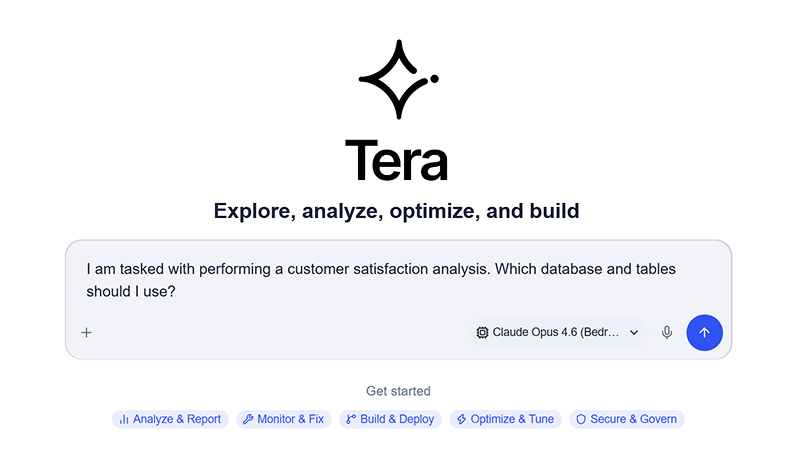
Start with a natural-language business question to identify the relevant database and tables.
We haven’t told Tera where the relevant data lives, which tables it should inspect, or how it should query them. From this business question, Tera needs to determine how to find the data that can support the analysis.
As Tera works through the request, it brings in relevant skills and invokes tools against the connected Teradata environment.
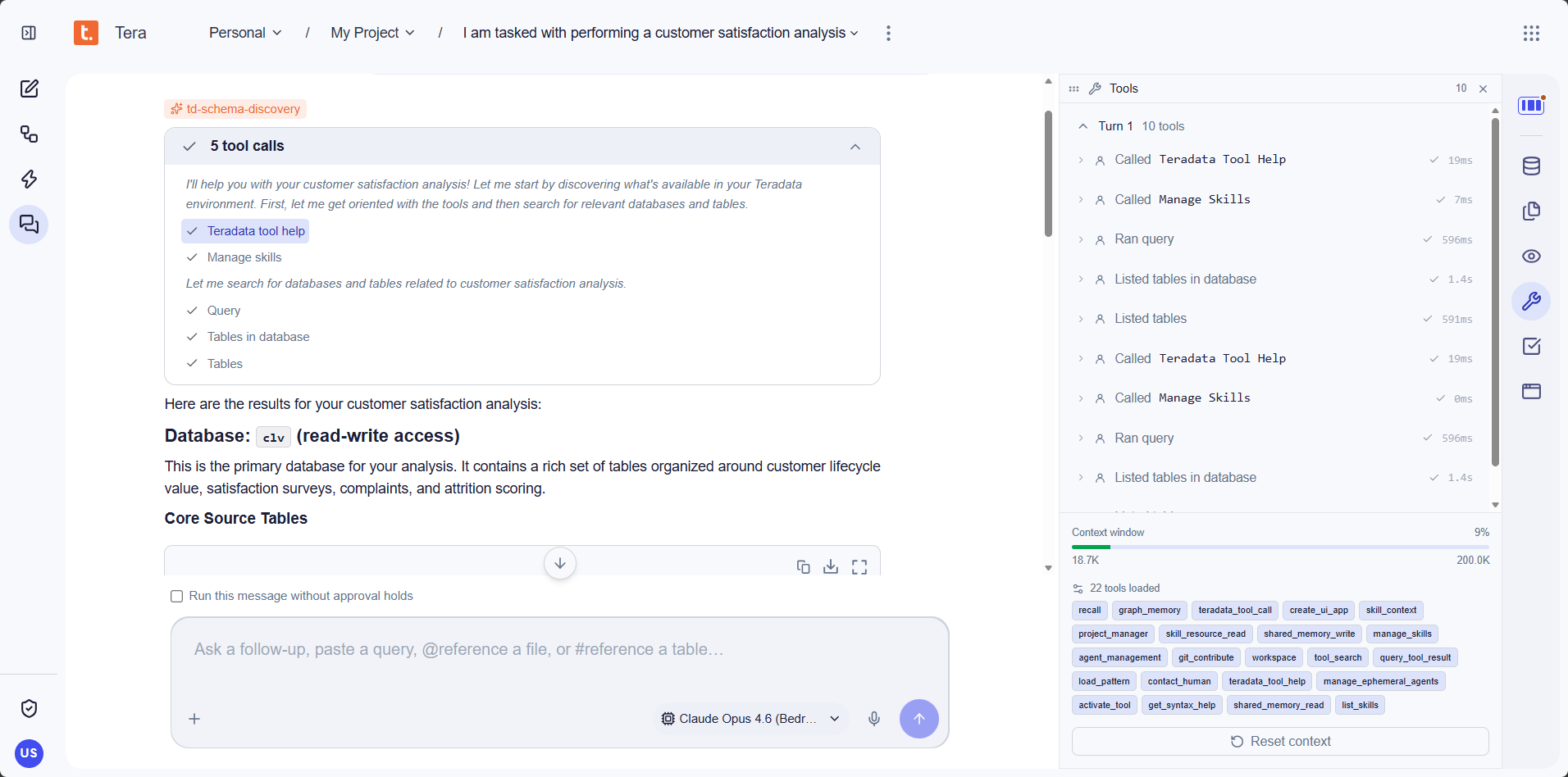
Tera uses skills and tools to discover relevant data while keeping the execution visible to the builder.
What to notice:
- Skills: Tera brings in td-schema-discovery to help discover and understand the available data
- Tools: Tera invokes tools to search, query, and inspect the connected Teradata environment as it works toward the answer
- Context: Results from these interactions become part of the working context Tera maintains as the workflow progresses
- Transparent execution: Builders can inspect the tool calls and execution details rather than seeing only the final response
Tera then identifies the data relevant to the request.
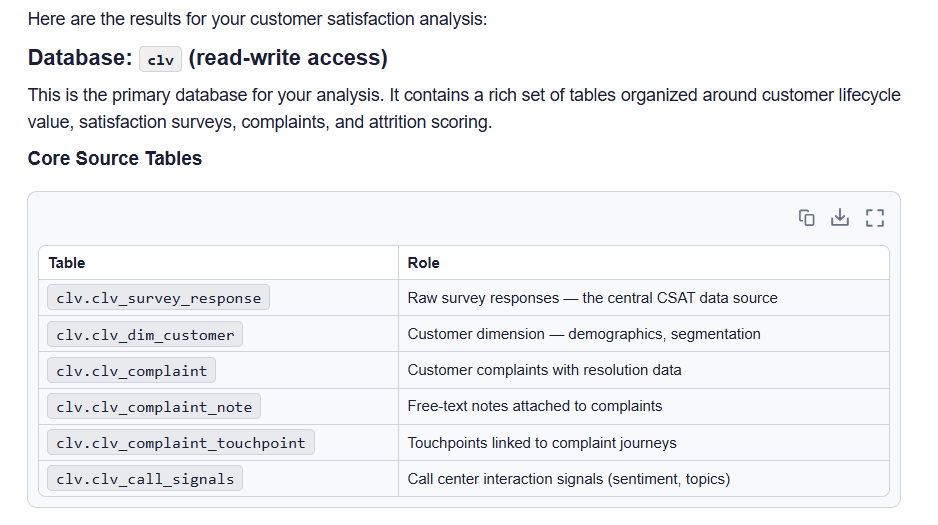
Tera identifies the clv database and surfaces the core source tables relevant to customer satisfaction analysis.
What Tera found:
- The relevant data is available in the clv database, with read-write access.
- Tera identifies clv_survey_response as the central source for customer satisfaction survey data.
- It surfaces supporting customer, complaint, complaint-note, complaint-touchpoint, and call-center signal data that can contribute to the analysis.
- Rather than simply returning database metadata, Tera organizes the tables by their role in the customer satisfaction workflow.
From data discovery to CLV insight
Once Tera has identified the relevant data, we can move from where the data is to what the data tells us.
We stay in the same conversation and continue with a follow-up prompt: “Using the data you identified, analyze the key drivers of customer satisfaction and dissatisfaction. Which issues are most likely to impact Customer Lifetime Value?”

A follow-up question builds on the data and context already identified in the previous step.
Because Tera already has the context from the earlier discovery step, we don’t need to repeat the database, tables, or other information it has already identified.
In this run, Tera performs a multi-step analysis across the relevant customer satisfaction and CLV data. It inspects the DDL for the core tables before executing and refining a series of analytical queries as new results become available.
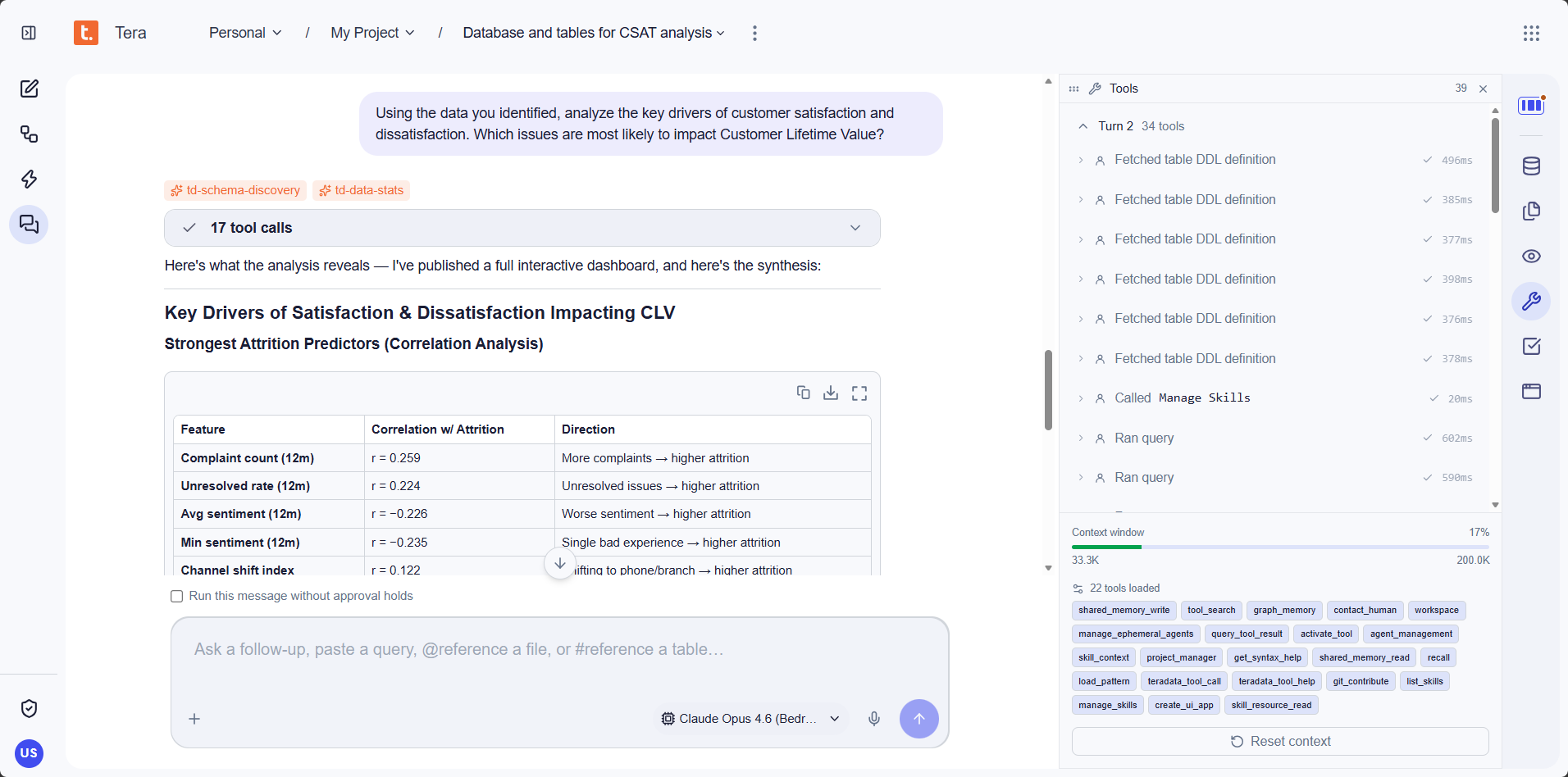
Tera performs a multi-step analysis by inspecting table definitions, executing analytical queries, and maintaining context across the workflow.
What to notice:
- Context continuity: Tera builds directly on the data identified in the previous turn rather than starting again.
- Multi-step execution: Tera makes 17 tool calls in this run, including inspecting table definitions and executing analytical queries across the relevant data.
- Skills: For the deeper analysis, Tera brings in td-schema-discovery and td-data-stats as it works through the relevant datasets.
Tera then synthesizes the results into customer satisfaction and CLV insights.
What Tera found:
- Complaint volume emerges as the strongest attrition predictor, followed by unresolved complaints and negative customer sentiment.
- Customers with four or more complaints have 3.4× the attrition risk of customers with no complaints and an average $8,400 lower CLV.
- Tera identifies investment and product inquiries, balance inquiries, and loan payment help as strong satisfaction drivers when handled well.
- The analysis highlights fee transparency and resolution speed as high-leverage areas for protecting Customer Lifetime Value.
From analysis to an interactive application
The analysis doesn’t end with a text response. Without being explicitly asked to create a visualization, Tera generates an interactive application to help communicate and explore the findings.
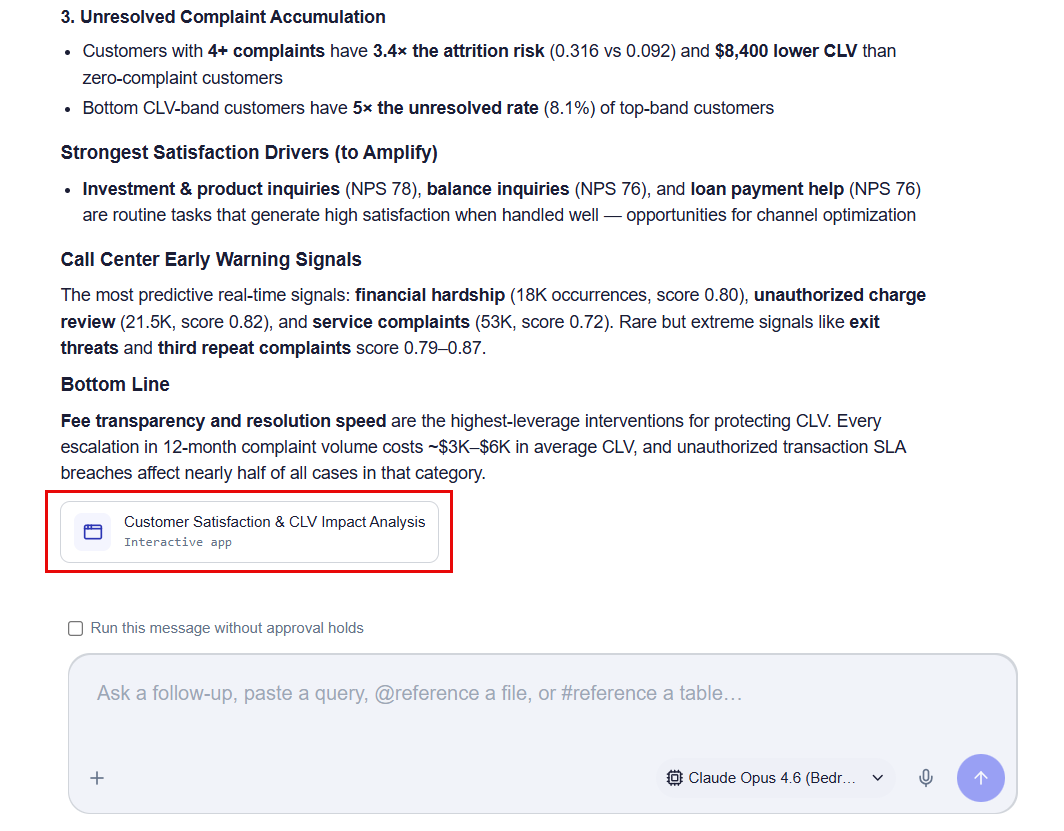
Tera publishes the Customer Satisfaction & CLV Impact Analysis as an interactive application directly from the analysis.
The generated application can then be opened from the same workflow to explore the results visually.
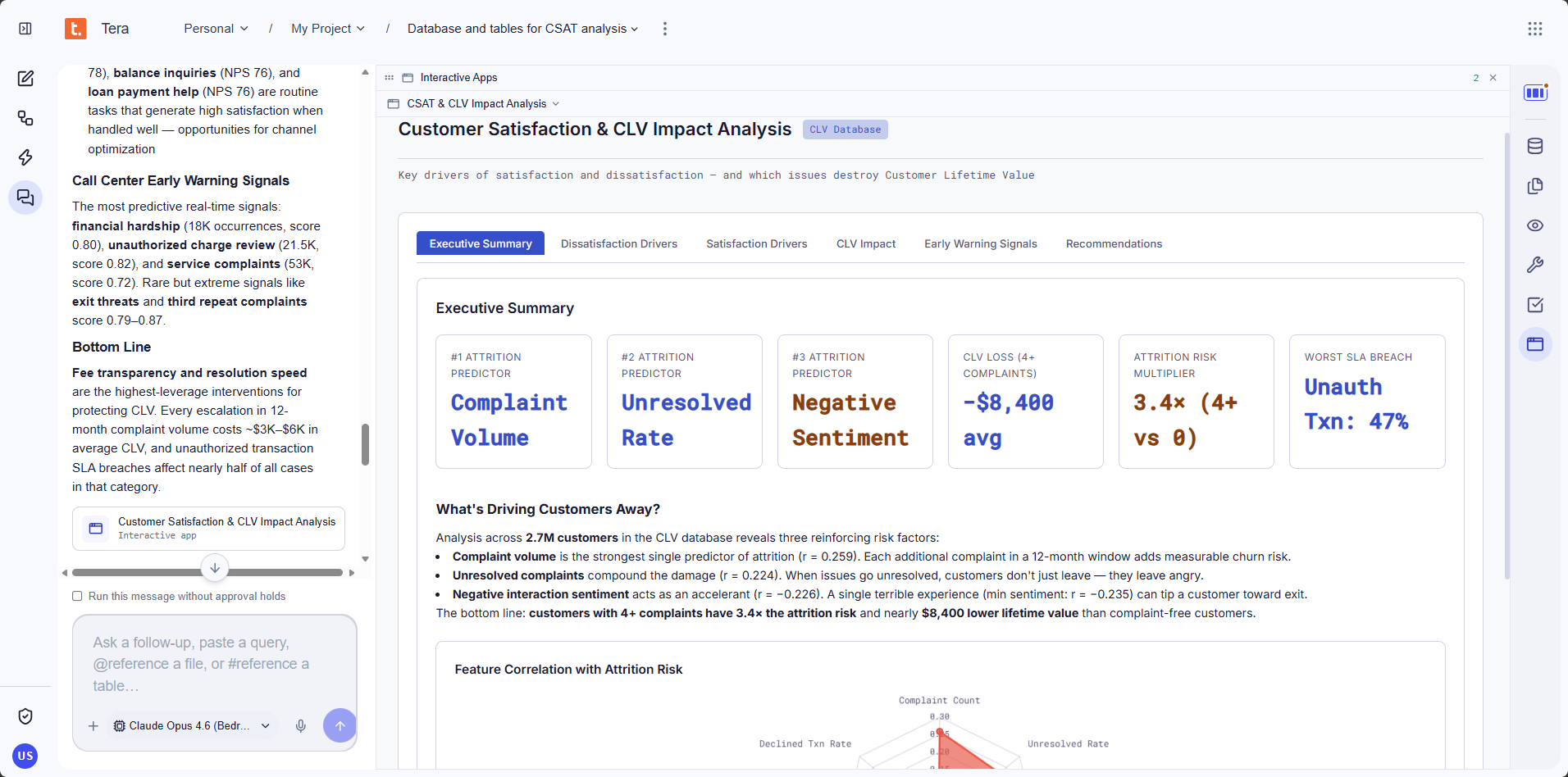
The interactive application brings together the key attrition predictors, CLV impact, customer experience signals, and recommended areas for intervention.
What just happened?
The two prompts were intentionally simple, but the work behind them was not. Tera coordinated the steps required to move from a business question to an analytical outcome without requiring us to define the workflow in advance.
- The agent harness orchestrates the work: Tera interprets the objective, determines what it needs to do next, selects the appropriate skills and tools, and uses intermediate results to guide subsequent steps.
- Skills provide specialized guidance: In this workflow, Tera brings in td-schema-discovery during data discovery and td-data-stats during the deeper analysis, without requiring the user to explicitly invoke them.
- Tools turn reasoning into action: Tera uses tools to inspect schemas, retrieve table definitions, execute queries, and work directly with the connected Teradata environment.
- Context connects the workflow: The second question builds on what Tera discovered in the first. The database, relevant tables, and earlier results remain available as working context, so we do not have to restate them.
Throughout the process, the execution remains inspectable, allowing builders to see the tools Tera invokes and follow how the work progresses rather than being limited to the final response.
From questions to outcomes
For developers and builders, the important shift is what happens after the prompt. Tera brings together the agent harness, skills, tools, and enterprise context needed to carry the work forward rather than leaving developers to orchestrate each step themselves.
In this example, two business questions took us from:
Finding the right enterprise data → understanding the drivers of customer satisfaction → identifying CLV risk → producing an interactive analytical application.
That is what moving from chat to execution looks like: not simply generating an answer, but coordinating the work required to reach a useful outcome.
Ready to see Tera in action? Visit the Tera page to learn more and get a demo.